







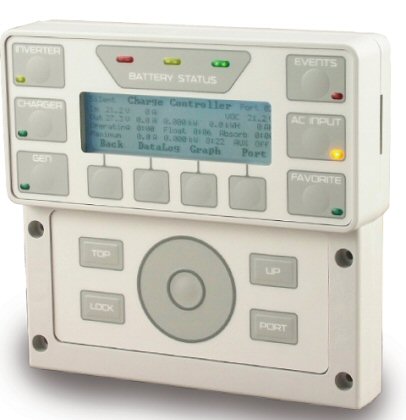
 I’ve been using an OutBack Power Systems FW500 inverter system in my funky datacenter for a couple years now. So far I’ve been impressed, but one of the issues I’ve run into has to do with simply pulling power system data from the MATE via RS232 serial connection. I’ve connected the MATE to a USB to RS232 adapter to get data, but I found the connection to be unstable. It would work for a while and then just stop, and I’d have to pull the USB adapter out and reconnect it to get it working again (basically a USB reboot). To be clear, this was a USB issue, not a MATE issue.
Even so, I decided to virtualize my power monitoring server, which meant even more difficulty with USB/serial connectivity. So, I went ahead and swapped out my MATE for a MATE3, which has an Ethernet port on it which allows power system data to be pulled down via HTTP call.
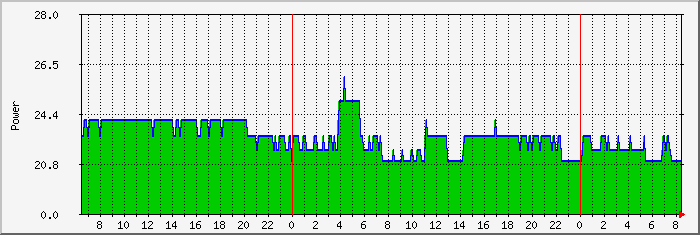
Since I use a Windows installation of MRTG to monitor and graph various environmental conditions (temperature, humidity, etc.) within the datacenter, I wrote a simple piece of software called MRTG_MATE3 to pull in and graph power data as well. Now you too can use MRTG to graph various power data points from your MATE3.
Download MRTG_MATE3.ZIP v1.0.1
MRTG_MATE3 was written in Visual Basic 6.0 and relies on a few other components (including VB6 runtime files) to operate. Many Windows systems already have these components installed by default, but just in case you get an error message when trying to run MRTG_MATE3, here are various download links for these required package:
Download VB6 Runtime Package: vbrun60sp6.exe (Broken link? Search on Google)
Download Windows Scripting Host 5.6 (Broken link? Search on Google)
Download Microsoft Core XML Services (MSXML) 6.0 (Broken link? Search on Google)
Tags: software
