



Over the years, I’ve come to inherit and keep watch over several server rooms for various companies around the Pacific Northwest. The recent heatwave got me thinking a lot about AC system design as it relates to server rooms. As is typical for small to medium sized companies, these server rooms have anywhere from 1 to 4 racks of gear per room, and use standard air conditionaing techniques to keep those servers cool. Being located in a temperate climate such as Seattle, where the annual average temperature is 54°F, it seems very odd to me that server room cooling systems here are designed the same way they are in southern California (and the rest of the world).

Servers = Heaters
Why waste all that money battling 120°F heat flowing out the back of your servers when you could easily vent that air and have a fresh supply of nice cold air coming in from outside, with no AC unit involved at all? Server room cooling easily consumes up to half of your server room’s total energy use, and since you’re a hot shot system admin, why not design something smarter (and save some cash while you’re at it)?
Traditional Air Conditioning System Design
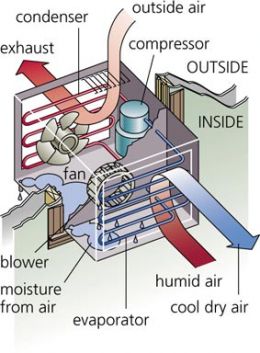
Traditional window AC unit
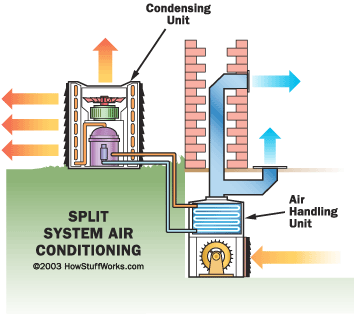
Traditional split AC unit
Here’s a classic example of how many server rooms are configured. This illustration shows a multi-rack server room that uses a standard raised floor AC system, but the concept is basically the same with overhead ventilated AC systems. The first issue is the closed loop where the AC unit is fighting the hot air generated by the servers. The second issue is the poor air flow design in the server room results in the constant re-circulation of hot server exhaust being sucked in by other servers. The third issue is the increase in average rack temperature the farther away the rack is from the AC unit.
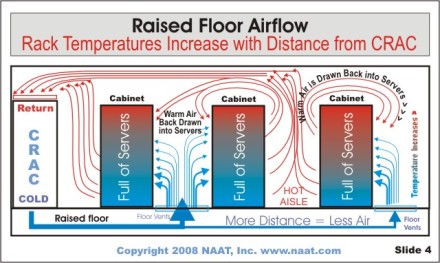
Typical closed loop AC system
The biggest issue for most server room AC systems is the mixing of air in the datacenter. That means the AC must put out very cold air (40°F to 50°F) so when it mixes with the ambient air, the equalized temperature will land somewhere close to at least 70°F. That’s hard work considering the AC unit typically takes in 90°F to 100°F air, depending on placement of the air intake and air flow inside the server room.
Using external air to cool and create positive pressure
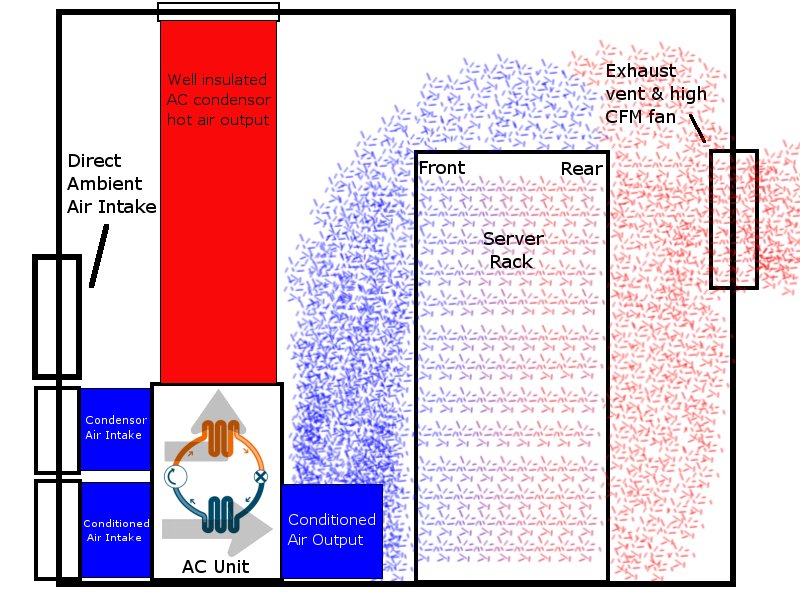
Here is a simple (badly drawn) design I whipped up in GIMP that uses external air. We simply change the “home/room” side AC unit air intake to accept air from outside, not inside the server room. This creates positive pressure inside the server room and keeps the AC unit in-line so when the air outside gets too warm, the AC unit’s built in thermostat will kick on the compressor and start actively cooling the incoming air. Add a vent to exhaust the hot air from your servers back outside and you’ve got an external air cooling system that only uses the AC unit’s compressor when the air outside gets too warm. For the Seattle area, that’s a maximum of 3 summer months out of the year… and during that 3 months, the AC would probably only have to work during the day as night temperatures typically fall comfortably below 60°F.
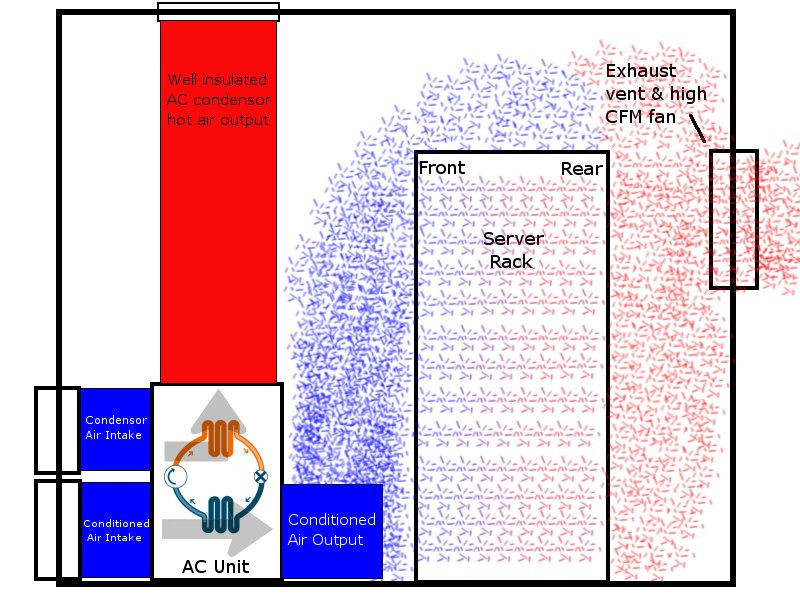
Simple external design for moderate climates
By pulling in outside air, the AC unit only has to deal with external air temperatures, not hot server exhaust. Also, by moving air through the server room in a single direction and venting the hot air directly outside, there is little chance for the hot server exhaust to mix with the cooler air coming in from outside. This airflow is essential, otherwise the hot server exhaust would mix with the cool outside air and raise the temperature at the server bezel. Only by properly managing airflow can we utilize 70°F air from outside with no AC unit compressor kicking on.
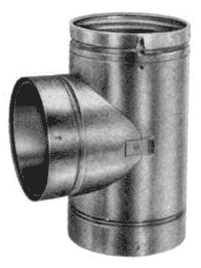
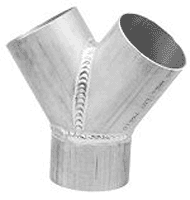
The only down side I can think of to this simple design modification is that there is no way to pre-heat the air coming in to the AC unit if the temperature outside drops too far. I’m pretty sure pulling -5°F air into your AC unit would probably freeze it up, and it is definitely not good for your servers either. 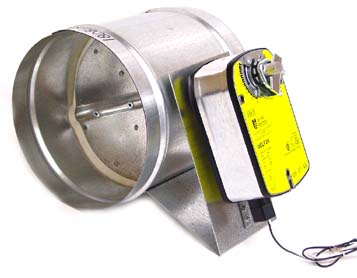 Probably a better idea would be to expand upon this simple design using thermostats and motorized dampers, “T”s, and “Y”s to control airflow. You could automatically recirculate some of the hot server exhaust into the AC air intake ducting when the temperature outside drops. This would pre-heat the air coming in and save your AC unit from freezing. Alternately, you could have two separate air intakes, one that runs through the AC unit and one that just comes in from outside. If the air outside gets really cold, the AC unit could be setup to shutdown completely so no air moves through it, and instead dampers could be used to control the amount of cold air coming in from outside.
What I’m getting at here is that there are a lot of easy ways to make use of external air. It will significantly lower your server room energy bills, help realize true green computing, and lessen the impact on the environment. So come on all you smart guys and gals running server rooms out there, it’s time to put those smarts to use and re-think your server room cooling.